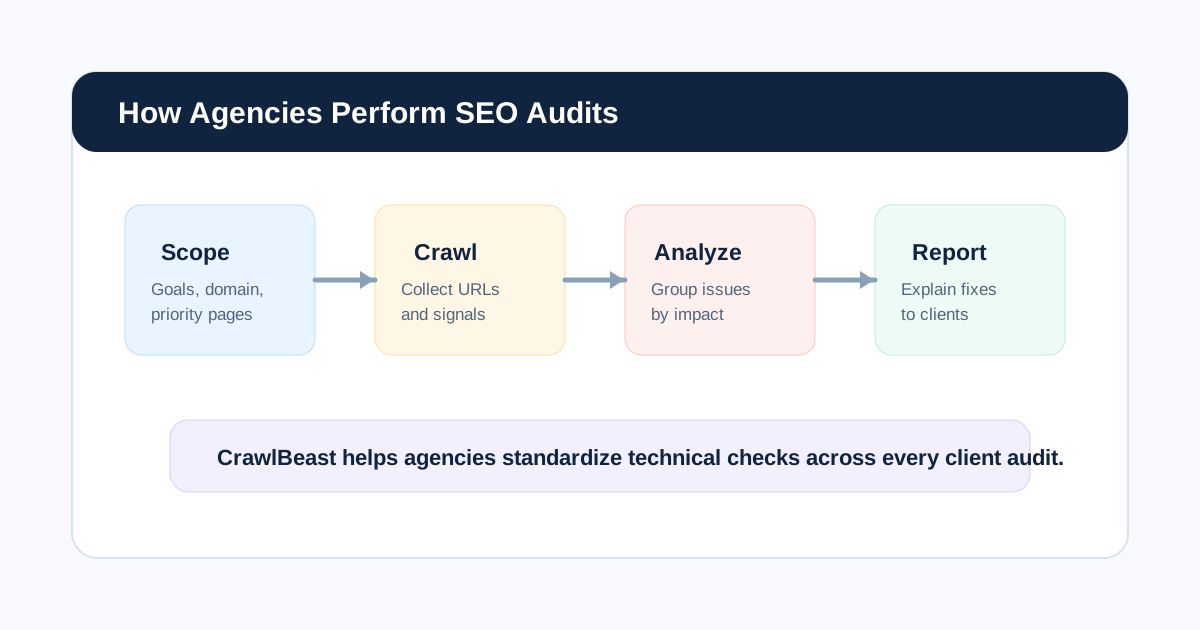
Agencies perform SEO audits by moving a client from an unclear search problem to a validated implementation plan. The repeatable path is: define the business goal, collect bounded evidence, crawl the site, diagnose patterns, prioritize findings, align stakeholders, assign fixes, and verify the production result.
The deliverable is not the crawl. It is a sequence of decisions the client can understand and execute.
This guide gives you the operating artifacts behind that journey: kickoff questions, an audit brief, an evidence matrix, workstreams, prioritization, ownership, delivery, and definition of done. For the broader cluster, see the SEO audit workflow. If you are comparing software, use the best SEO audit tools for agencies.
By the end, you should have:
- An agreed audit brief and scope
- A dated evidence set with known limitations
- Validated findings grouped by pattern and workstream
- A client-approved priority roadmap
- Tickets with owners and acceptance criteria
- A re-crawl and monitoring record
Agency SEO Audit Process at a Glance
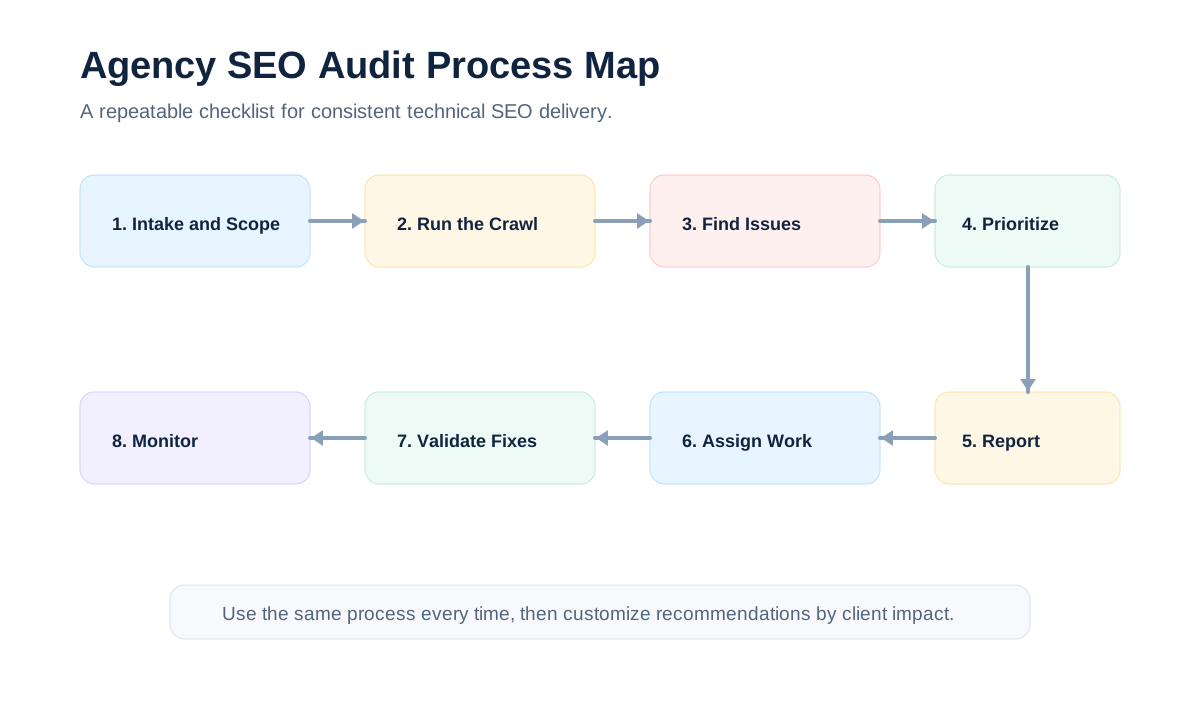
| Phase | What the agency does | Main output |
|---|---|---|
| 1. Scope | Confirm goals, property, access, templates, markets, and constraints | Audit brief |
| 2. Establish a baseline | Combine crawl data with Search Console, analytics, sitemap, and change history | Evidence set |
| 3. Crawl | Collect URL, link, directive, metadata, and response data | Crawl dataset |
| 4. Diagnose | Review technical, content, architecture, performance, and off-page signals | Findings |
| 5. Prioritize | Score issues by impact, scale, confidence, and effort | Prioritized backlog |
| 6. Report | Explain the issue, evidence, recommendation, owner, and acceptance criteria | Client report |
| 7. Implement and validate | Assign work, re-crawl, and confirm the change in production | Fix log |
| 8. Monitor | Repeat the checks and compare against the baseline | Ongoing SEO health view |
What Should an Agency Audit First?
Agencies should audit access and indexability before spending time on page-level refinements. A useful order is:
- Can search engines reach the important pages?
- Are the right pages eligible for indexing?
- Does the site architecture make those pages discoverable?
- Do templates communicate the page topic clearly?
- Does the content satisfy the searcher and the business goal?
- Are performance, structured data, and links creating avoidable friction?
This order prevents teams from polishing pages that cannot be crawled, indexed, or found through the internal link graph. It also makes the report easier to defend because each recommendation follows from observed evidence.
1. Scope the Audit Around the Client's Goal
Before opening a crawler, the agency defines what the audit must help the client decide. A migration audit, a traffic-drop investigation, a new-business audit, and a quarterly health check should not use the same scope.
Capture:
- Domain, subdomains, staging environments, and URL exclusions
- Business-critical templates, folders, products, services, or locations
- Primary conversions and priority landing pages
- Target countries, languages, devices, and search markets
- CMS, rendering setup, deployment process, and development constraints
- Known incidents, migrations, algorithm updates, or recent releases
- Available Search Console, analytics, log-file, backlink, and sitemap access
- Report audience, deadline, delivery format, and expected level of technical detail
Write the scope in one sentence, such as: “Audit the production ecommerce site to identify indexability and template problems affecting category and product pages before the next migration.” That sentence becomes a filter for every finding.
Agency kickoff questions
Ask:
- What triggered the audit now?
- Which pages, templates, products, markets, or conversions matter most?
- What changed before the problem appeared?
- Which recommendations can the client realistically implement?
- Who approves development, content, analytics, and SEO work?
- Which releases, migrations, freezes, or campaigns affect timing?
- What would make the client consider the audit successful?
Copyable audit brief
# SEO Audit Brief

Client:
Domain and properties:
Audit trigger:
Decision this audit must support:
Priority pages/templates:
Primary conversions:
Included workstreams:
Excluded workstreams:
Data access:
Known changes/incidents:
Platform and resource constraints:
Stakeholders and owners:
Delivery date:
Success criteria:
Validation checkpoint:
Patrick Stox gives a useful reminder for client audits:
“If clients are coming to you asking for an audit, they already have a pain point. Talk to them.”
The quote comes from Ahrefs' SEO audit template guide. Use the client's pain point to shape the scope; do not merely attach the client's logo to a standard checklist.
Common question: How long does an agency SEO audit take?
It depends on the website size, access, scope, and depth of analysis. A small, focused audit may take days; a large enterprise or migration audit can take several weeks. Agencies should estimate from the number of templates, URLs, data sources, and stakeholders involved rather than promise a fixed duration for every site.
2. Establish a Baseline Before the Crawl
A crawl explains what the site exposes to a crawler. It does not, by itself, explain which URLs receive impressions, clicks, conversions, or real search-engine attention. Agencies therefore combine several evidence sources before writing recommendations.
Useful inputs include:
- Crawler data for URLs, links, responses, metadata, canonicals, directives, and depth
- Google Search Console for queries, impressions, clicks, indexing signals, and manual actions
- Analytics for landing-page engagement and conversions
- XML sitemaps and robots.txt
- PageSpeed Insights or Lighthouse for performance diagnostics
- Deployment and migration history
- Backlink and competitor data where authority or discovery is part of the brief
- Client interviews, sales priorities, and known customer journeys
Record the date and source of each dataset. A recommendation based on a crawl from last year should not be presented as a current diagnosis.
The Google Search Essentials and helpful content guidance are useful editorial and technical guardrails, but they do not replace evidence from the client's own site.
Build an evidence matrix
| Question | Best starting evidence | What it cannot prove alone |
|---|---|---|
| Can the crawler reach the URL? | Crawl response and link path | Whether Google indexed or values it |
| Is Google showing the page? | Search Console indexing and performance data | The complete cause of exclusion or ranking |
| Does the page support the business? | Analytics, conversions, CRM, and client context | Search demand or crawl quality |
| Is performance acceptable? | CrUX field data and diagnostics | That performance caused a ranking or conversion change |
| Is the issue scalable? | Template segmentation and affected URL count | Business priority or implementation difficulty |
| Did a release create the problem? | Change log, crawl comparison, and dated search data | Causation without further validation |
Record the date range, property, filters, crawl settings, exclusions, and access limitations for each source. “Not evaluated” must not be reported as “passed.”
3. Crawl the Website Consistently
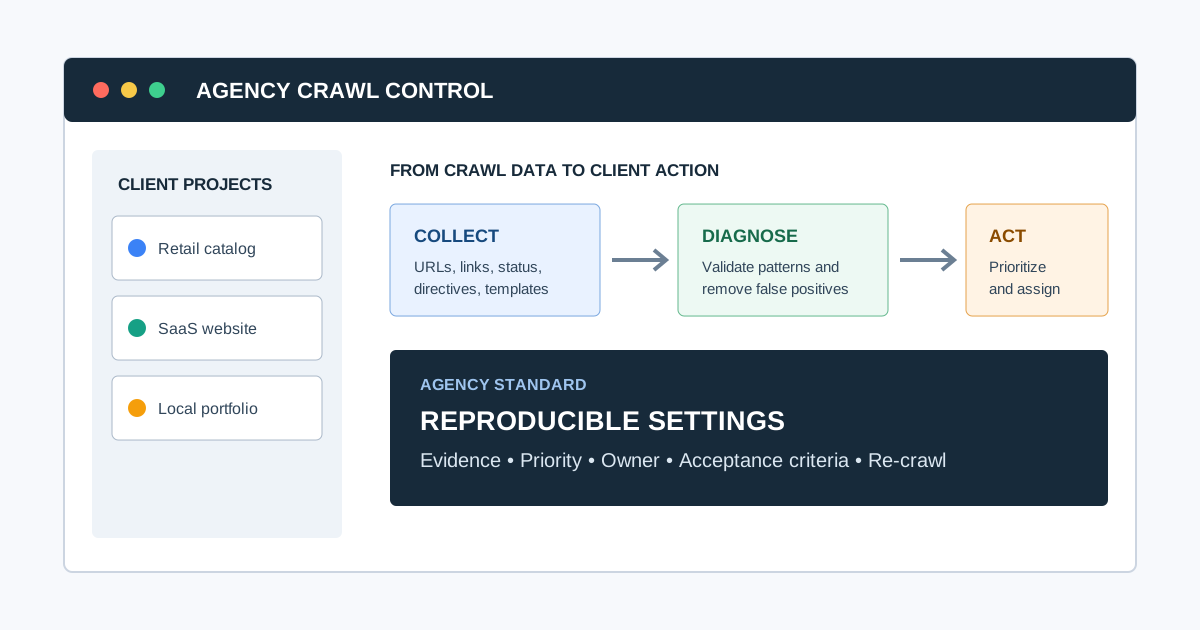
The crawl is the repeatable collection layer of the audit. Agencies use a website crawler for agencies to collect URL, response, link, metadata, heading, canonical, directive, and site-structure data at a consistent baseline.
During the crawl, check for:
- 3xx, 4xx, and 5xx responses
- Redirect chains and loops
- Broken internal links
- Missing, duplicated, or weak title tags and meta descriptions
- Missing or repeated H1 headings
- Canonical conflicts
- Robots.txt and noindex conflicts
- XML sitemap errors
- Excessive crawl depth
- Orphan pages
- Duplicate URL variants and parameter handling problems
- Important resources or content that require rendering to appear
Tools should make patterns visible, not turn every detected condition into an urgent recommendation. For deeper technical checks, agencies may combine CrawlBeast with Google Search Console, analytics, PageSpeed Insights, and a technical SEO audit tool for agencies.
Validate the crawl before analyzing it
Check:
- The intended host, protocol, subdomains, folders, and authentication were included
- Exclusions and crawl limits did not remove priority areas
- Robots.txt behavior matches the audit question
- Rendering mode fits the site's technology
- XML sitemap and external URL sources were included when useful
- A sample of important, redirected, blocked, and JavaScript-dependent URLs behaves as expected
- Crawl anomalies are not caused by rate limiting, security tools, geolocation, cookies, or user-agent differences
Related video: SEO audit walkthrough
This Ahrefs walkthrough demonstrates a compact audit sequence from crawling through technical, content, link, and monitoring checks. Use it as orientation, then apply the client-specific scope and evidence rules above.
Watch the SEO audit template walkthrough on YouTube.
4. Diagnose the Audit by Workstream
An agency report becomes easier to act on when findings are grouped by the team or system that can fix them.
Crawlability and indexability
Review whether important pages are accessible, eligible for indexing, and represented accurately in sitemaps. High-priority examples include a robots.txt rule blocking a revenue folder, a noindex directive on a canonical page, or a sitemap containing redirected URLs.
Do not confuse “discovered by the crawler” with “indexed by Google.” Use crawl evidence and Search Console evidence together, and state the limitation when the data cannot prove a conclusion.
Site architecture and internal links
Review how users and crawlers move from navigation and hub pages to priority content. Look for orphan pages, deep pages, irrelevant links, redirecting links, and important pages that receive little internal prominence.
Internal linking is also a useful recommendation because it can connect a technical finding to a practical content or architecture change. Link relevant supporting resources such as the technical SEO issues guide and the SEO audit template where the reader needs a next step.
Templates and on-page signals
Look for patterns rather than isolated page defects. Examples include product pages sharing one title template, category pages with inconsistent canonicals, blog pages missing descriptions, or faceted URLs creating duplicate crawl paths.
For each pattern, identify the affected template, a representative URL, the number or percentage of affected URLs, and the proposed template-level fix.
Content quality and search intent
An audit should review whether important pages answer the query they target, demonstrate useful expertise, and support the user's next action. Check thin or overlapping pages, cannibalization, outdated information, missing comparison content, weak category copy, and pages that attract impressions but do not satisfy the likely intent.
Google's guidance on creating helpful, reliable, people-first content is especially relevant here. The objective is not to add keywords mechanically; it is to make the page more useful and trustworthy for the people who need it.
Performance and mobile experience
Use field data when available, then use lab diagnostics to investigate likely causes. A useful benchmark visual is below; the thresholds come from Google's Core Web Vitals documentation.
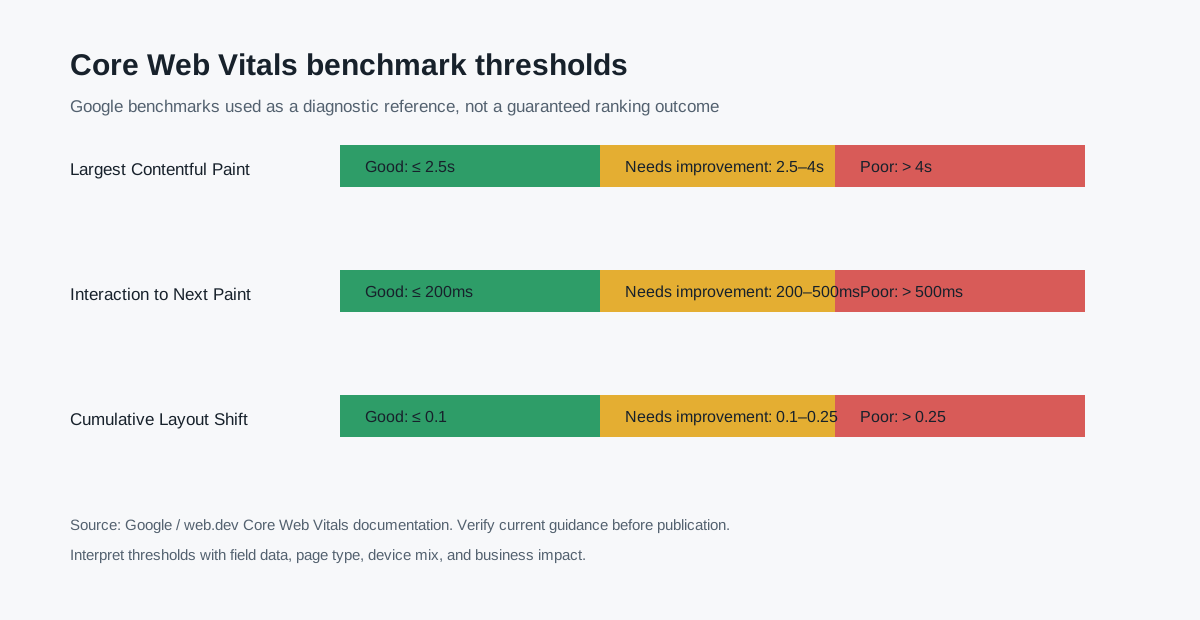
| Metric | Good | Needs improvement | Poor |
|---|---|---|---|
| Largest Contentful Paint (LCP) | 2.5s or less | 2.5–4s | More than 4s |
| Interaction to Next Paint (INP) | 200ms or less | 200–500ms | More than 500ms |
| Cumulative Layout Shift (CLS) | 0.1 or less | 0.1–0.25 | More than 0.25 |
The numbers are benchmarks, not a reason to label every slow page a ranking emergency. Explain the affected templates, user impact, field-data coverage, likely owner, and proposed acceptance test.
Structured data, images, and search appearance
Review structured data only where it accurately describes visible page content and where a relevant search appearance exists. Also check image dimensions, descriptive alt text, filenames, compression, captions, and whether the page's primary image is crawlable and useful.
Use Google's Visual Elements gallery to understand possible search-result appearances, but do not promise a rich result. Eligibility does not guarantee that Google will show a particular feature.
Off-page and competitive context
When the brief includes a ranking or visibility problem, compare the site's important pages with the pages that compete for the same intent. Review content coverage, link prominence, topic authority, SERP features, and brand or entity signals. Keep this separate from a technical crawl so the client can see which recommendations require site changes and which require broader strategy.
5. Prioritize by Impact, Scale, Confidence, and Effort
Clients need a sequence, not a flat export. A simple agency prioritization model is:
Priority = business impact × affected scale × confidence ÷ implementation effort
This is a decision aid, not a pretend-precise score. Agencies should explain the reasoning in plain language.
Aleyda Solís describes the intended outcome this way:
“The actual goal of the SEO audit is ... to be the driver of your SEO process.”
Her SEO audits deep dive explains why priority must account for business context, expected impact, resources, constraints, and stakeholder validation.
| Priority | Use when | Example |
|---|---|---|
| P0: blocker | Important pages cannot be crawled, indexed, or served correctly | Noindex on the main service template |
| P1: high impact | A scalable issue affects valuable pages or conversions | Broken canonicals across product pages |
| P2: improvement | The issue limits quality, discovery, or efficiency but does not block access | Deep internal links to priority guides |
| P3: backlog | Low-scale or low-confidence cleanup | One obsolete image filename |
Every finding should include the evidence, affected scope, why it matters, recommendation, owner, effort estimate, and acceptance criteria. This format lets the client move directly from report to ticket.
Validate priority with the client
An agency's expected difficulty is not always the client's actual difficulty. Review the first priority draft with the SEO, development, content, and business owners. Record:
- Ideal priority based on expected impact
- Feasible priority after resource and platform constraints
- Dependency or reason for delay
- Earliest practical sprint or release
- Risk of postponement
This separates “important” from “currently implementable” without pretending delayed work has no value.
6. Create a Client-Ready SEO Audit Report
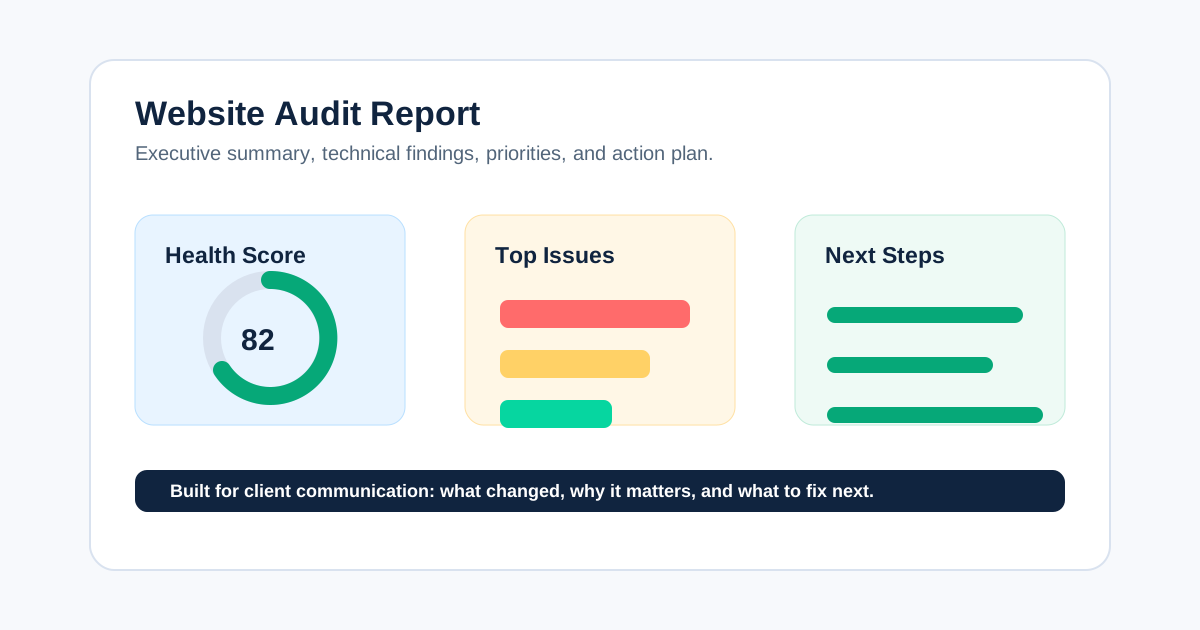
The report translates technical observations into decisions. A strong website audit report should make the answer to “what do we do next?” obvious.
Recommended structure:
- Executive summary with the three to five most important decisions
- Scope, crawl date, data sources, exclusions, and limitations
- Baseline metrics and a short interpretation of the data
- Prioritized issue table with evidence and affected URLs
- Technical, content, architecture, performance, and authority sections
- Recommended fix sequence and dependencies
- Owner map for SEO, development, content, analytics, and client teams
- Acceptance criteria and validation plan
- Appendix with exports, examples, and methodology
Avoid presenting a health score without explaining how it was calculated. A score can help a client scan the report, but the evidence and action plan should carry the recommendation.
If reporting is a recurring pain point, use a consistent SEO audit reporting format and preserve the same definitions between audit cycles. Consistency makes progress visible.
7. Assign Fixes to the Right Owners
An audit creates value only when findings become owned work.
- Developers handle templates, redirects, canonicals, response codes, rendering, schema implementation, and crawlability fixes.
- Content teams handle titles, descriptions, headings, duplicate copy, intent gaps, and page refreshes.
- SEO teams handle prioritization, QA, internal linking, sitemap review, search data interpretation, and validation.
- Analytics teams handle measurement gaps and conversion definitions.
- Client teams approve priorities, provide access, update the CMS, or coordinate internal resources.
For each task, include the affected URL pattern, the desired change, the owner, dependencies, and the test that proves completion.
Use a simple ownership model
| Activity | Agency SEO | Client SEO/marketing | Development | Content | Analytics |
|---|---|---|---|---|---|
| Approve scope and success criteria | Responsible | Accountable | Consulted | Consulted | Consulted |
| Configure and validate crawl | Responsible | Informed | Consulted | Informed | Informed |
| Interpret search and business evidence | Responsible | Accountable | Consulted | Consulted | Consulted |
| Approve priorities | Consulted | Accountable | Consulted | Consulted | Consulted |
| Implement technical fixes | Consulted | Accountable | Responsible | Informed | Informed |
| Implement content fixes | Consulted | Accountable | Consulted | Responsible | Informed |
| Validate production | Responsible | Accountable | Consulted | Consulted | Consulted |
Adapt the roles to the engagement. The important part is that each recommendation has one accountable owner and one observable acceptance test.
8. Present the Audit and Agree on the First Sprint
Do not finish the audit by emailing a document. Present the diagnosis and use the meeting to validate constraints, priorities, owners, and timing.
Recommended meeting flow:
- Restate the trigger, scope, exclusions, and success criteria.
- Explain the overall diagnosis in plain language.
- Review the three to five highest-priority patterns.
- Show representative evidence, not every affected URL.
- Confirm technical and organizational constraints.
- Agree on the first implementation sprint.
- Define the first validation checkpoint.
- Record decisions, rejected recommendations, and open questions.
Use the website audit report guide to structure the executive summary, finding pages, appendix, roadmap, and presentation.
9. Re-Crawl and Validate in Production
Validation is a separate phase, not a sentence at the end of the report. Re-crawl after implementation and compare the new results with the baseline.
Check that:
- The intended URLs now return the expected response and directives
- Redirects resolve in one useful hop where possible
- Canonicals and internal links point to the intended destinations
- Sitemaps contain the correct URL set
- Template changes did not create new duplicate or broken patterns
- Performance improvements appear in the relevant field or lab data
- Search Console and analytics measurements still work
If a fix is partial, keep the issue open and record what remains. A change log prevents the team from reopening the same investigation every quarter.
10. Monitor the Site as an Operating Process
For ongoing retainers, agencies commonly run a lighter monitoring crawl monthly and a deeper audit quarterly or around major releases. The cadence should follow the site's change rate and risk, not an arbitrary calendar.
Track:
- New response-code and redirect patterns
- Indexing and sitemap changes
- New orphan or deep pages
- Template regressions
- Core Web Vitals trends
- Organic landing pages and conversions
- Open, resolved, and regressed audit findings
CrawlBeast can support the repeatable collection and issue-review layer. The agency still supplies the business context, prioritization, recommendation, and human review that turn data into a strategy.
A Practical Agency Audit Cadence
The duration depends on site size, data access, rendering, workstreams, stakeholder availability, and depth. A focused small-site audit can take days; a complex enterprise or migration audit can take weeks.
| Stage | Typical activity | Exit condition |
|---|---|---|
| Kickoff | Scope, access, incident history, goals, constraints | Signed-off audit brief |
| Collection | Crawl, search, analytics, performance, logs, competitor evidence | Dated evidence register |
| Analysis | Validate findings, segment patterns, investigate causes | Reviewed finding set |
| Prioritization | Score, sequence, estimate, and validate constraints | Client-ready roadmap |
| Delivery | Present diagnosis and agree owners | Approved first sprint |
| Validation | Re-crawl and test production | Acceptance criteria passed |
| Monitoring | Track new, resolved, and regressed issues | Next review scheduled |
Avoid promising a fixed audit duration before access and scope are known.
Agency SEO Audit Definition of Done
An audit is complete when:
- The objective, scope, exclusions, dates, and evidence limitations are documented.
- Priority areas and representative URLs were manually validated.
- Findings are grouped by cause, template, or workstream rather than repeated as isolated rows.
- Facts, hypotheses, tool metrics, and recommendations are clearly separated.
- Every important finding includes impact, affected scope, owner, effort, dependencies, and acceptance criteria.
- Priorities were checked against business importance and implementation constraints.
- The client approved or explicitly rejected the first actions.
- Recommendations entered the client's project system.
- A production validation checkpoint is scheduled.
- The agency recorded what will be monitored after delivery.
If the work ends at “report sent,” the audit journey is incomplete.
Common Questions Agencies Should Answer in the Audit
What is included in an agency SEO audit?
Most agency audits include technical crawlability and indexability, site architecture, on-page and template patterns, content quality, performance, structured data, internal links, and relevant search or competitive context. The exact scope should be tied to the client's goal, website type, access, and available evidence.
Is an SEO audit just a website crawl?
No. A crawl is one evidence source. An agency audit combines crawl data with search, analytics, sitemap, performance, business, and implementation context, then turns the findings into prioritized recommendations with owners and acceptance criteria.
How often should an agency perform an SEO audit?
Run a focused check after major releases or migrations, a recurring monitoring crawl as the site changes, and a deeper audit at a cadence appropriate to the site's size and risk. Large, frequently changing sites generally need more frequent monitoring than small brochure sites.
Which SEO audit issues should be fixed first?
Fix issues that prevent important pages from being crawled, indexed, served, or measured correctly. Next address scalable problems affecting valuable templates or conversions. Lower-impact cleanup belongs in a backlog unless it supports a larger change.
Can AI write an SEO audit report?
AI can help summarize large datasets, group similar findings, and draft plain-language explanations. It should not invent evidence, decide business impact without context, or publish unchecked recommendations. Google's guidance on generative AI content supports using automation responsibly with accuracy, usefulness, and human review.
Final Recommendation
Agencies perform SEO audits best when they treat them as an operating process: scope the business question, establish a dated evidence baseline, crawl consistently, diagnose by workstream, prioritize by impact, report with ownership, validate every fix, and monitor regressions.
CrawlBeast helps agencies make the collection and review parts of that process more repeatable. Pair it with a clear SEO audit template, a consistent website audit report, and a documented validation cycle to deliver audits that clients can understand, approve, and act on.
Sources and editorial notes
- Ahrefs: Free SEO Audit Template with Video Walkthrough
- Aleyda Solís: SEO Audits Deep Dive
- Google Search Central: AI features and your website
- Google Search Central: Creating helpful, reliable, people-first content
- Google Search Central: Search Essentials
- Google Search Central: Generative AI content guidance
- Google Search Central: Visual Elements gallery
- web.dev: Core Web Vitals
Ready to audit client websites faster?
Use CrawlBeast to standardize technical SEO audits across client websites. Crawl client pages locally with total data privacy, speed, and unlimited monthly credits.